Finding the Right Font: A Review of the Best Available Font Viewers

Since I’m writing this post during that unique period in between Christmas and New Year’s . . . when you have no concept of whether it’s Tuesday, Sunday, or even still December, I figured I would write about something that brings me great joy.  Fonts.  I am a collector of fonts.  I have ones that are beautiful, ones that are classic, straightforward, jovial, and downright odd.  I learned today I have 1,266 of them to be exact.  Most I know I’ll never use, but hundreds of them MAY get used . . . one day.  I am a font hoarder.

As a Christmas present to myself, I decided I would find a good utility for browsing my collection.  When I am trying to decide on the perfect font for a project, this very common, teeny tiny, one-font-at-a-time preview is not nearly sufficient:

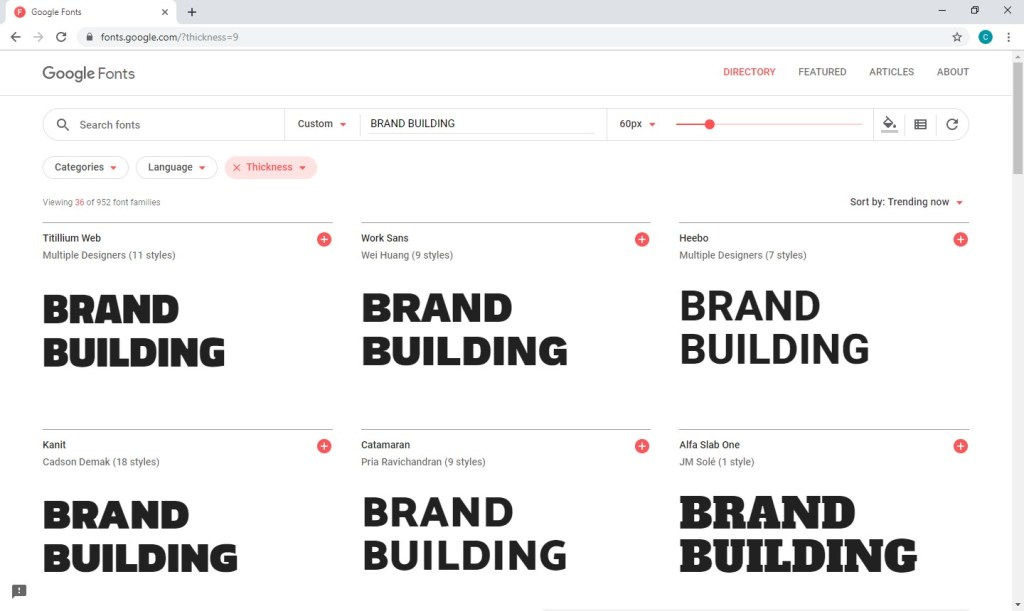
I went out seeking a utility similar to google’s font viewer . . . where I could type in my desired preview text and then browse the available options in an easy-to-see size and easy-to-scroll format.
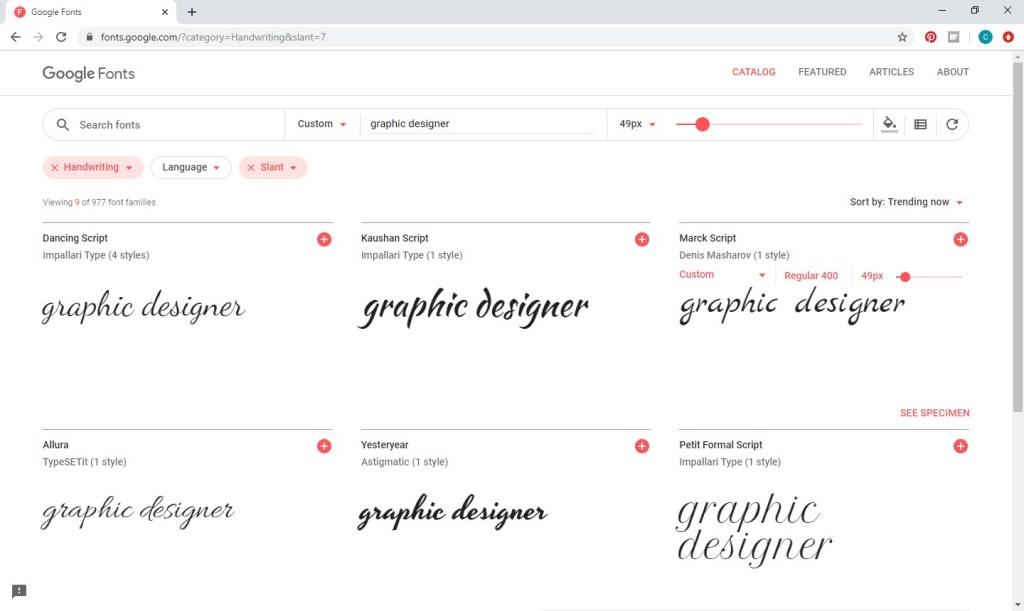
If you are in the beginning stages of forming your brand, having a tool like this — to see your company name and test out body copy in all your currently installed fonts — would be a wonderful luxury.  Once your brand has solidified a bit, you’ll still have instances in which you’ll need to choose a different font for a specific need . . . whether you’re creating a Happy New Year graphic for social media or a “clearance” sign for display in your store. 

So I went looking for the best available font viewer.  I read a number of articles reviewing the options, and I sampled a select few of them based on the reviews . . . .

CPS Font Viewer
This program was my absolute favorite, checking all the essential boxes on my font viewer wish list, excepting the very important fact that my computer would freeze for about a minute every time I interacted with the program, which is designed for a 32-bit version of Windows.  (I’m guessing this is an important fact.)  Frustration prompted my uninstalling the program before even taking a screen shot for you, but I was able to grab one from the software provider:
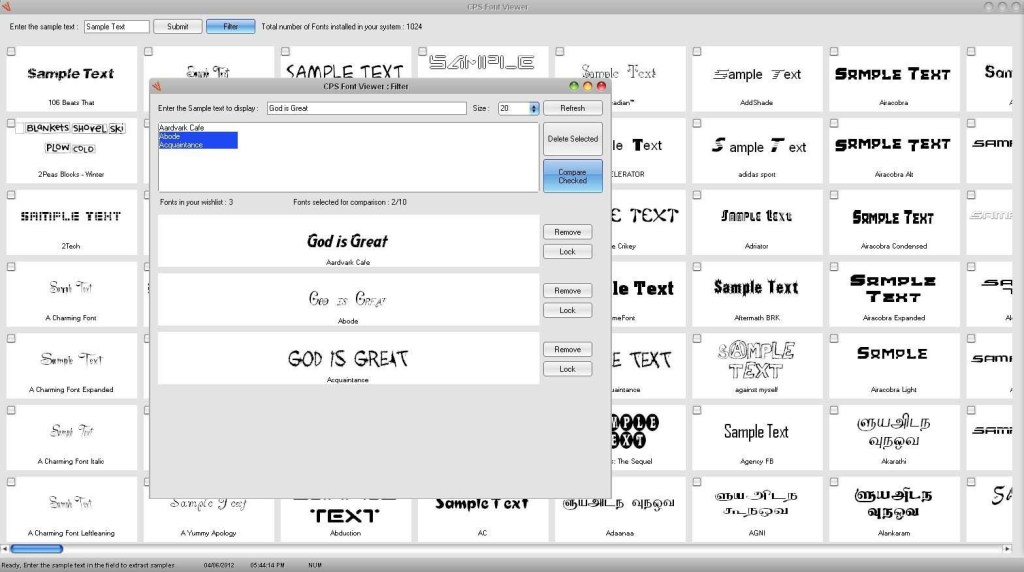
If your computer is a rare gem running 32-bit Windows, this program is a great choice. 

FontBase

I initially really liked FontBase, performing the requisite job in a clean and modern interface.  I also like that you can easily switch from your fonts to Google’s selection of 2,533 free fonts as desired.  However, I really wanted to better utilize all that wasted screen space and increase the number of fonts I could peruse at a time.  Unfortunately, the ability to switch from a row view to grid style, along with a number of additional options, requires an upgrade and at a pretty hefty price tag at that.  Many seemingly functional buttons annoyingly transport you to this screen, where your options are $3/mo, $29/yr, or $180 forever. 
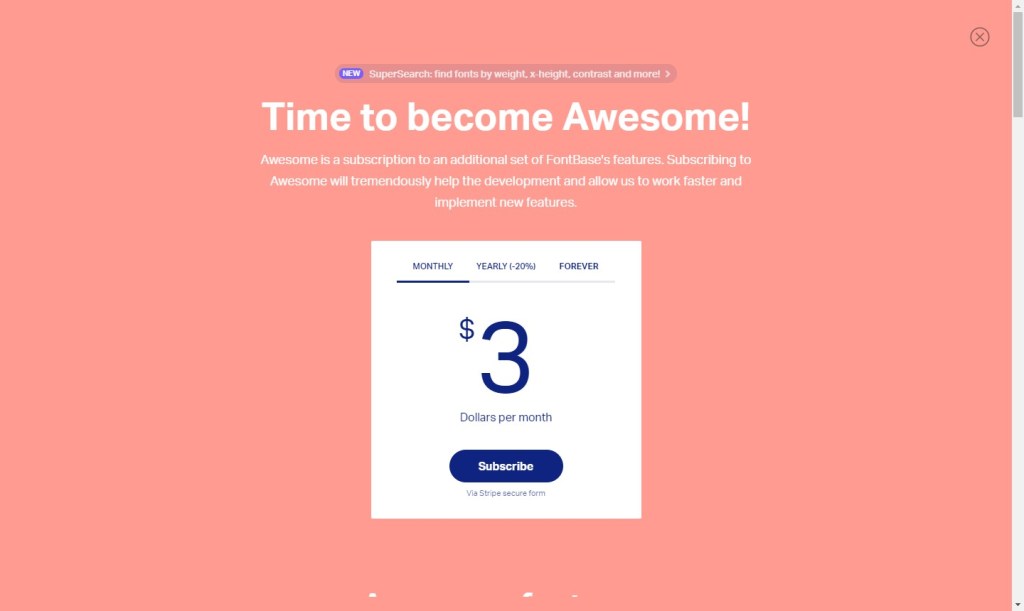
Since I try to resist the low-price allure of ongoing subscriptions whenever possible, I was left with the $180 option, which was about $100 more than I was willing to spend.  Goodbye, FontBase. 

If you don’t mind the free row layout and can quickly learn which buttons to avoid OR you’re willing to pay for the upgrade, this program is a solid choice.
Wordmark.it

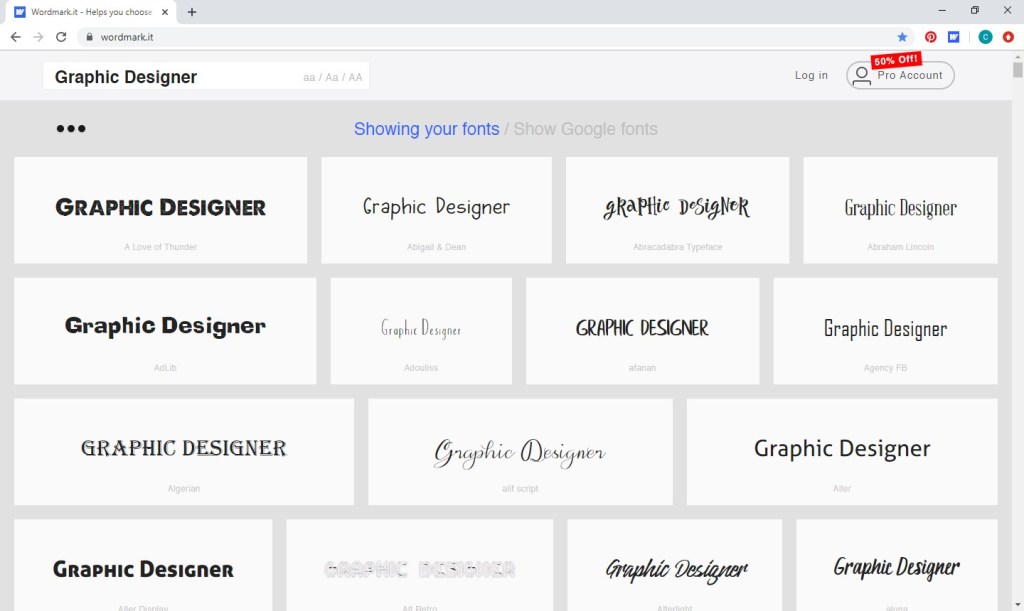
Another modern and clean interface that can also easily switch from your installed fonts to google’s free fonts, this viewer is a big step up, providing a grid layout entirely free of charge.  In fact, this is the only utility I sampled that is browser-based and didn’t need to be installed.  Your only required payment comes in the form of one font block dedicated to an advertisement every other screen or so – a very reasonable price to pay in my book.  However, this utility scans and previews your installed fonts using Adobe Flash Player, outdated software that Adobe has announced will no longer be supported as of December 2020.  I noticed a bit of a lag on the web page itself and even more inconveniently in my other software while accessing Wordmark.it.  (So going back and forth from discovering a possible font option on Wordmark.it to trying out the font in my project was not a smooth flow.)  Hopefully, the company will find a more current way to make this utility available, because it’s pretty slick otherwise.
AMP Font Viewer

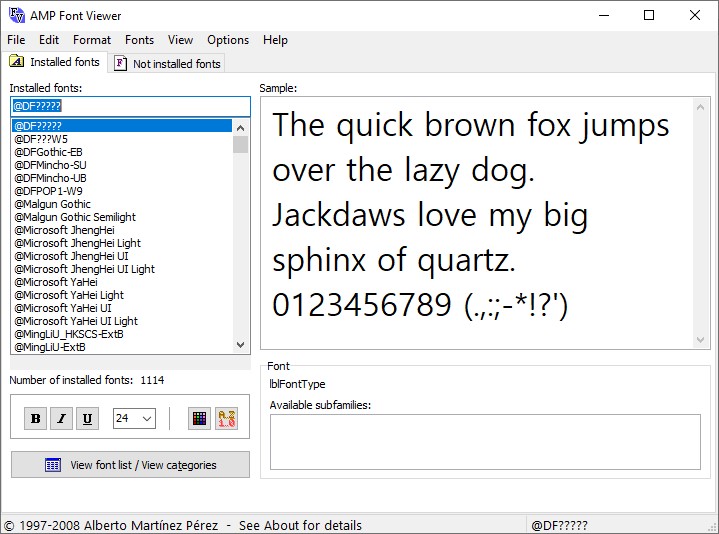
This program has an old-school feel.  The installation process and program interface are reminiscent of the good old days . . . Windows 97, 56k modems, and floppy disks.  I almost immediately wrote the program off as a result. 

Upon browsing all the options in the program’s menu, I found that the view is almost completely customizable, and I was able to scroll through my 1,000+ font options with ease. 
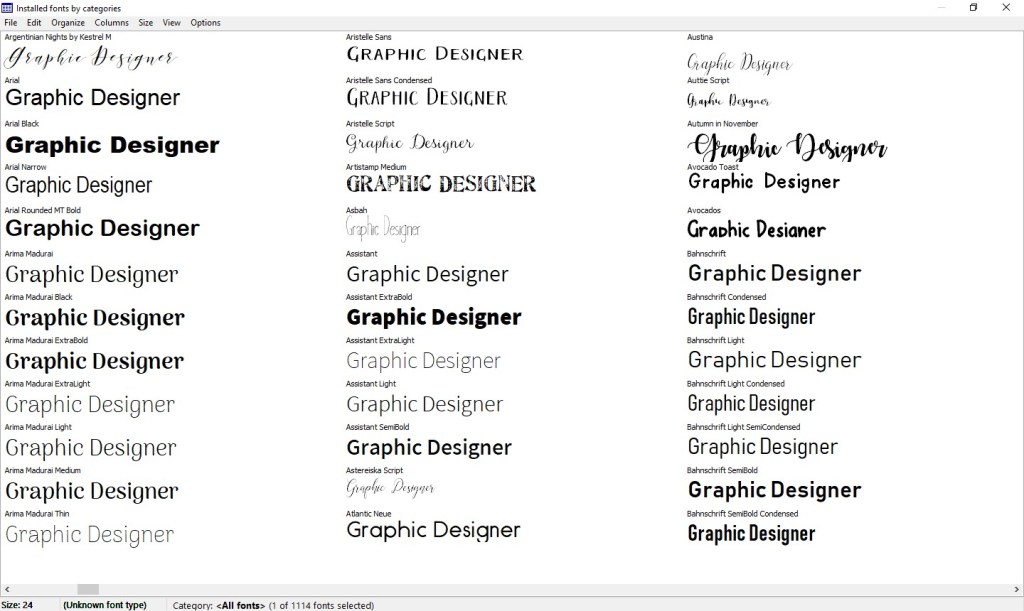
Unlike the outdated Flash Player, this program’s age adds to its allure . . . not modern and clean but user driven and quick.  I happily declare my unlikely victor!

Do you have a favorite font viewer?  Let us know in the comments below.  Did you have an opportunity to try out one of the reviewed options?  I would love to hear your experience.

How to Create a Facebook Page for Your Business

Your first step to your business’s social media presence on facebook is quick and easy.  In the five steps below, you’ll see how to create a page for your business.

1.  Log in to your personal account on facebook.  Go to Create > Page.

Select Business or Brand when asked to choose a category.

2. You’ll then be prompted to input an address, or you can click “Don’t show my address.  Only show that this business is in the City, State region.”

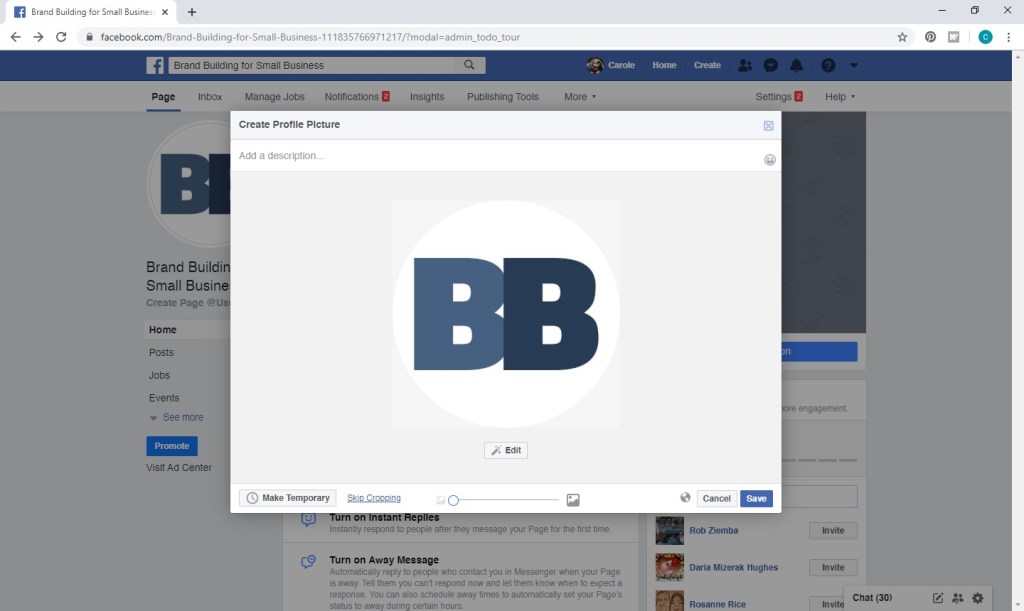
3.  Next, you’ll need to add a profile photo.  You’ll want to use one that can be squared, the corners rounded/cropped, and at least 170 x 170 pixels in size (which is pretty small).  We would ideally like to use our logo, but it’s not one that would work well in facebook’s profile frame:

If uploaded as is (as I did above), portions would be cropped.  If I added white space to the top and bottom so the sides wouldn’t be cropped, the logo would be very hard to see when displayed at 170 x 170 pixels and smaller.  As a result, I went with an icon version of our logo, created for purposes such as these.  White space has been added all around to accommodate the round frame. 

If your logo doesn’t work for your profile picture or you’d prefer to use a photo of yourself or some other image representative of your business, just be sure to regularly include your logo in your posts (preferably as an overlay on pictures related to the post).

4.  Next up is your cover photo, which displays at 820 pixels wide x 312 pixels tall on computers and 640 pixels wide x 360 pixels tall on smartphones.  The minimum size is 400 pixels wide x 150 pixels tall.  Since the dimensions of your cover photo will vary somewhat in different environments, a simple landscape photo is your surest best – as opposed to including your logo or other text.  (If you do go the route of including your logo or other text, be sure to include lots of white space, so the text does not get cropped regardless of the environment.) 

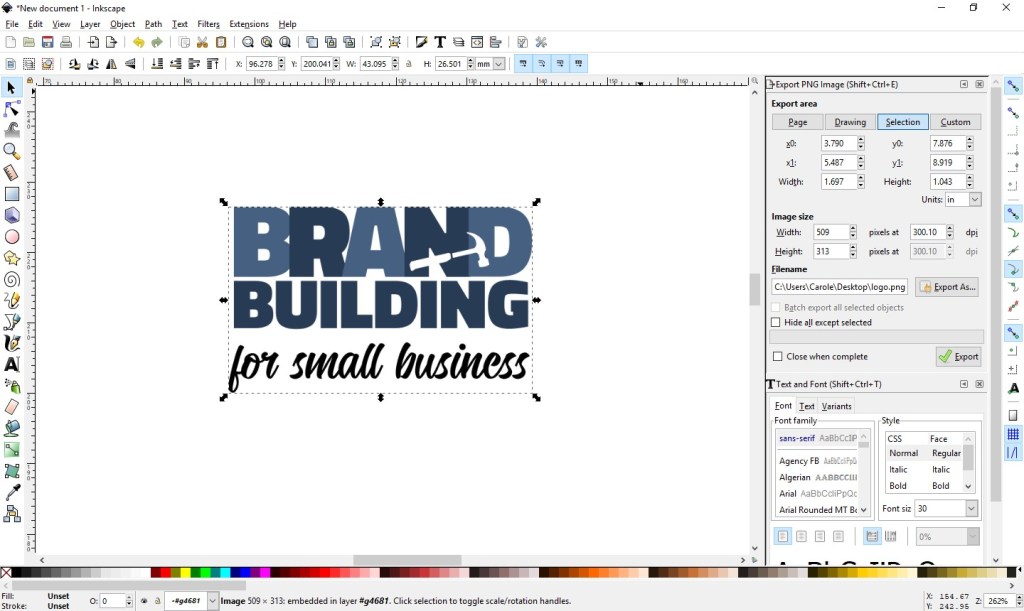
A Quick Note About Graphics Software:  If you’re not quite sure how to go about creating a cover photo that includes text or how to add white space to your logo, you may want to check out Inkscape (https://inkscape.org/), which is a free graphics editor that also makes a number of tutorials available:  https://inkscape.org/learn/tutorials/.

For our facebook cover, I just used the main image included on our home page for continuity purposes.

You can “drag to reposition” if desired.

5.  Finally, you’ll be asked whether you want to “invite friends to like your page,” which is recommended since pages with 10 or more likes get more engagement.  If you want to wait until you’ve been regularly posting for some time before inviting a lot of people, you can start off with a small group of your close family and friends until you get better established.

And you are done!  You have a facebook page for your business.  Unfortunately, that was the easy part.  The challenge is creating a regular posting schedule and sticking to that plan.  How often . . . ?  A number of sources cite one facebook post per day as optimal.  If you can commit to that, great.  If you feel like twice a day is better for you, just pay attention to your engagement.  If those posts aren’t getting sufficient attention, facebook may decrease your visibility and put your posts into a “spamming” category.  If you’re like us, once a week is a much more reasonable goal.  Do what works for you and your business, experimenting a little to find your optimal posting schedule.

Good luck!  Stay tuned for more posts about facebook.  If you have any questions, feel free to leave a reply below. 

How to Set Up Simple Print-and-Cut Business Cards in Microsoft Word

Disclaimer:  While we only recommend products we know and love, we want to note we use affiliate links and may earn a commission for purchases made through those links.

You want simple, nice, and professional looking business cards.  Easy, Peasy, right?  Unfortunately, creating business cards from scratch can be a little intimidating for even a tech-savvy person.  Thankfully, Microsoft Word actually makes a decent amount of business card templates available to you.  While the focus is clearly quantity versus quality, their templates do save you a number of groundwork steps, so they are a good place to start.  You can go from a blank Word document to print-ready business cards in only ten steps. . . . 

(For a personalize-and-print option for $6, skip to the end.)

1.  From within Microsoft Word, go to File > New and type “business cards” into the search box. 

Scroll down through the search results to the vertical “flower personal business cards”.

Press Create.

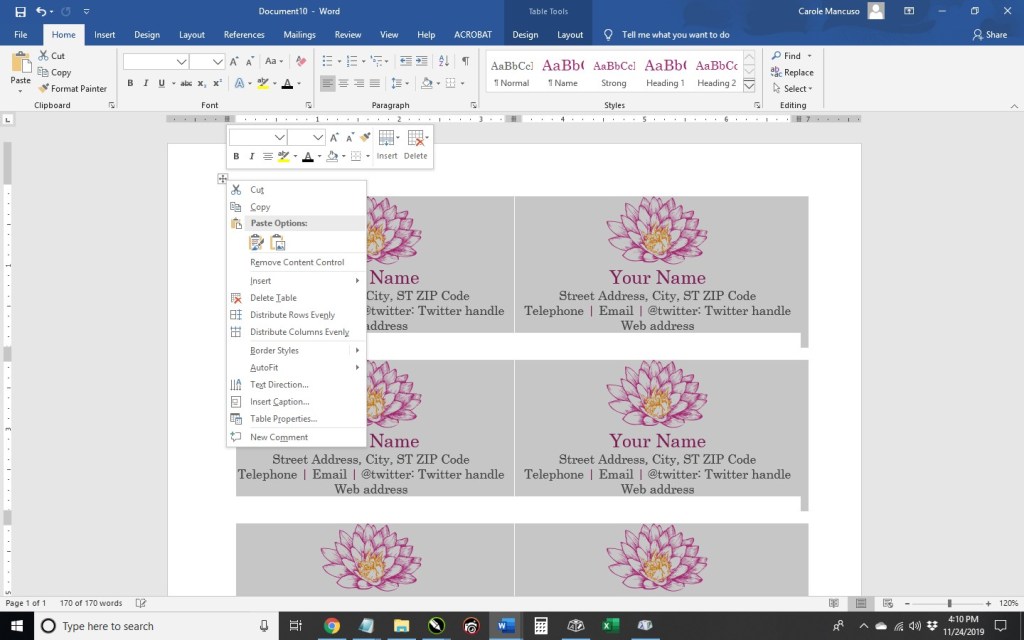
2. Right click the cross within a square at the upper left and choose Table Properties.

Select Table > Borders and Shading > Border and set the Setting to All, the Style to dashed, the Color to light gray, and the Width to ¼ pt; press OK.

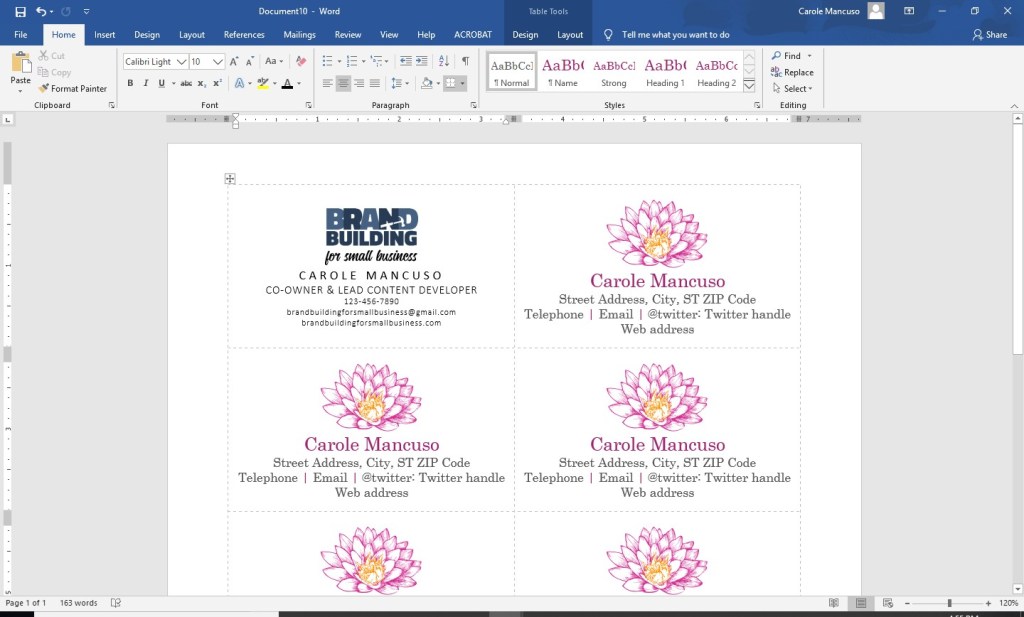
Then go to Cell and set the Vertical Alignment to Centered and press OK once again.  You now have business cards that are horizontally and vertically centered with very faint visual guides for cutting.

3. Delete all the content from the first card, insert your logo, and size to your liking, keeping in mind you will need space for your contact information.

4. Press enter to advance to the next line and set the font to Calibri, the font size to 11, and the font color to black.  Press Ctrl + D for advanced font and character options.  Click the Advanced tab and set the Character Spacing to Expanded By 3 pt.  Press OK and turn your Caps Lock on.  Type your name.

5. Press return to advance to the next line.  Change the font to Calibri Light and the font size to 10.  Click Ctrl + D, change the character spacing to .5 pt, and press OK; then, type your title.

6. Press return to advance to the next line and change the font size to 7.5.  Then include your contact information, limiting yourself to three lines. 

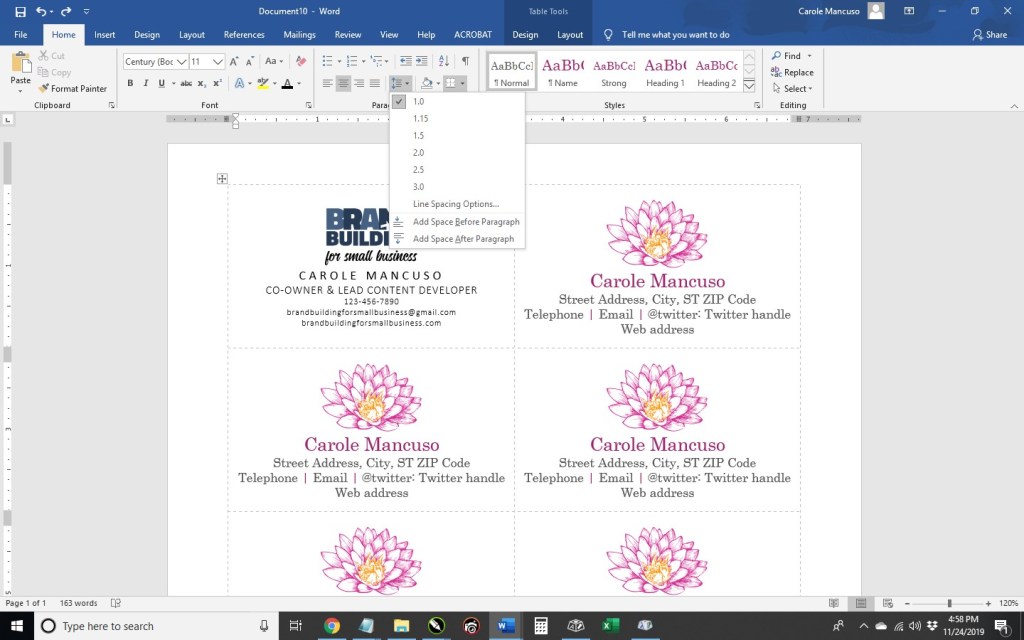
7. Place your cursor after your logo, right click, and go to Line Spacing Options.

Within Indents and Spacing, set the Spacing After to 6pt, and press OK.

Set the cursor after your title and repeat.

8. Once you’re happy with your layout, select the entire contents of that card, and copy by pressing Ctrl + C.  Then, select the contents of another card, press Delete, and Ctrl + V to paste your new design.

Repeat the process for the rest of the page.

9. Save your file and print; be sure to set your printer Print Quality to the best available option. (When choosing your paper, I recommend a quality cardstock in between 80 and 100 lb — any thinner, and your business card will be too flimsy; any thicker, and you risk problems using the paper in a conventional home printer. A matte versus glossy finish is really a personal preference, but you do avoid any potential for fingerprints on a matte stock.)

10.  Then, cut!  For the cleanest and straightest edges, use a paper cutter.   

IF you would prefer someone else do the creating and the printing for you (and the end product show up at your door step), we have a route available for you, too. Click here to personalize and purchase these business cards on Zazzle.

A Note About Fonts and Colors:
While the instructions described above will achieve the simple and modern design pictured, you can (and should) customize the look for your business. If you’ve been brand building from the start, you already have a Style Guide in place, and everything you create for your business should reflect the guidelines you’ve set for your logo usage, fonts, and colors. If you’re new to branding, be sure to review our story on The Role of a Brand Style Guide.

The Simplest Social Media Strategy

JUST DO IT . . .

To shamelessly borrow Nike’s slogan, forward movement is the best route for small businessowners looking to broaden their marketing and branding efforts into social media.  If you’re a large company with a department or firm devoted to your marketing and branding, you likely have a person or staff of people responsible for social media, and they can analyze demographics, develop goals, create a content inventory, and schedule posts.  If that’s a feasible undertaking for your business, this web site probably isn’t for you.  Our target is the small businessowner, who is looking to embrace social media while simultaneously doing most everything else . . . which could include staffing, management, finances, strategic planning, daily operations, sales, and customer service as well as marketing and branding.  Dedicating a huge amount of time and financial investment to social media simply isn’t feasible and is frankly unnecessary in order to be successful. 

JUST DO WHAT?

So how do you move forward into this new corporate endeavor?  Focus on what you know.  For example, if you don’t have a personal twitter account and aren’t really sure what or why one would tweet, that’s probably not the best place for you to start.

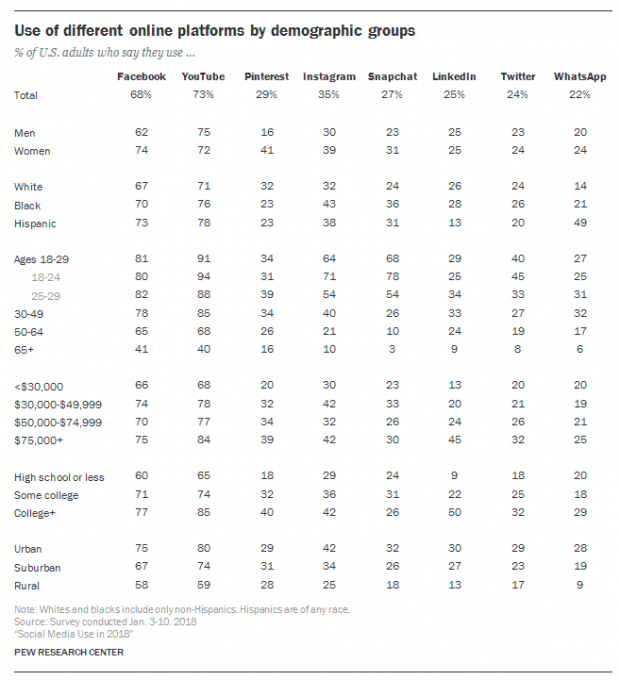
We’ve recently decided now is the time to start promoting our blog content on social media.  Personally, I currently frequent Facebook and Pinterest.  Bob, the other voice of Brand Building for Small Business, frequents Facebook.  (Frequent is actually probably an overstatement, but he occasionally visits Facebook.)  Since we have real experience with these platforms, we have a pretty good idea of who else is using them without any research.  However, a quick glance at the following chart, and we can solidify our understanding of the demographics of the most popular social media platforms.

Facebook and Pinterest’s demographics sufficiently align with our target audience.  We also know from experience that our content would be an appropriate fit. . . .

“CONTENT IS KING”

What can you, on behalf of your business, contribute to social media (with the expectation that a meaningful contribution yields dividends for your business)?

At the risk of sounding repetitive . . . focus on what you know. You are likely an expert in your field.  You may have managed to generate an income selling your products or services.  You possibly generate revenue that supports a small staff of people.  Or maybe you just started out and are hopeful about the profits to come.  Regardless, you likely have a wealth of focused knowledge.

You also no doubt have a personality.  I’m sure you’ve got a pretty great one at that.  You may be clever, witty, cultured, or sarcastic.  You may be optimistic, dark, curious, or creative.  You have a voice.  Hopefully, that voice is reflected in your brand, and you can express yourself and your brand on social media, resonating authenticity with your audience.

A FEW GREAT EXAMPLES . . .

Pop-Tarts

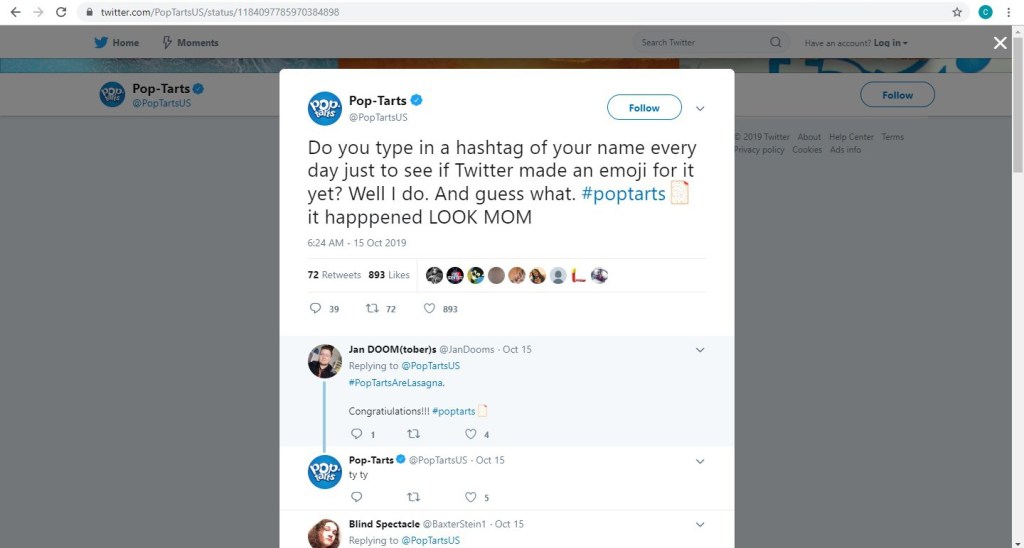
The popular brand of toaster pastries Pop-Tarts has a Twitter account bursting with personality. . . .

Pop-Tarts’ parent company, Kellogg’s, has a more conservative brand and voice.  They have approximately 98,000 Twitter followers while Pop-Tarts has 205,000.  With a 280 character limit (up from 140 a couple years ago), a little bit of creativity goes a long way.
Wayfair

A provider of furniture and home goods, Wayfair utilizes the visual nature of their business on a platform optimal for visuals.  Wayfair has approximately 1.3 million followers on Instagram, and they most often post pictures of their products with simple captions that engage, entertain, or educate.  Many posts will lead you to the link in their bio, which ultimately leads you to shop the pictured items on their web site.
Mashable

Digital media website Mashable uses Pinterest as an outlet to reinforce brand awareness and drive traffic to their web site.  They have 58 boards, ranging in topic from “3D Printing Creations” to “WTF” . . .

Mashable has 10 million+ monthly viewers on Pinterest.

A JOURNEY WITHOUT A MAP

Let’s say you glean some inspiration from these social media giants, and you create accounts for your business on the platforms you frequent; you begin regularly posting content – at least once per week – that is optimal for that platform (based on your personal experience), your products or services, and your unique brand; you promote your social media presence as part of your brand on all advertisements, correspondence, etc.; and little by little customers AND potential customers start following you.  Fantastic!  What now?

According to Comm100, some commons social media goals are to:

  • Connect with Customers
  • Increase Brand Awareness
  • Drive Traffic to Your Website (directly from social media and indirectly by enhanced search engine results)
  • Generate Sales and Leads
  • Boost Brand Engagement
  • Increase In-Person Sales
  • Build a Community
  • Improve Customer Service

While one or two items on this list may be more important to you than others, all of the goals are worthwhile in some respect.  See what develops for you as time goes on.  You may find that your most useful outcome of social media is invaluable market intel that comes from the comments on your product posts that you originally hoped would generate sales.  Or perhaps people start leaving reviews for you on Facebook, which become an important tool in converting leads into sales.  Maybe you find that you get complaints via social media that provide an opportunity for you to offer outstanding customer service in a very public way.  Navigating without a roadmap means you need to pay attention to your journey.  Try to find an opportunity in the issues that arise.  Be open to suggestions.  Think of creative ways that you can utilize and expand upon the positives you encounter.  Grow and evolve.  And be patient.  Good luck!

P.S.  Read more as we begin our social media journey on Pinterest and Facebook.

P.P.S. For more information on using social media (as well as other online channels) to promote your business, read How to Grow Your Small Business with Online Marketing? by Sparkle Speaks.

Creating a Review Request Sign in Microsoft Word

Reviews have become an important part of our lives.  We look at them when choosing a restaurant, selecting a contractor, watching a movie, or even buying a new pair of jeans.  As a result, having an abundance of glowing customer reviews can have a big impact upon your business.  However, you know that already, which is why you’re here.  So, let’s get started. . . .

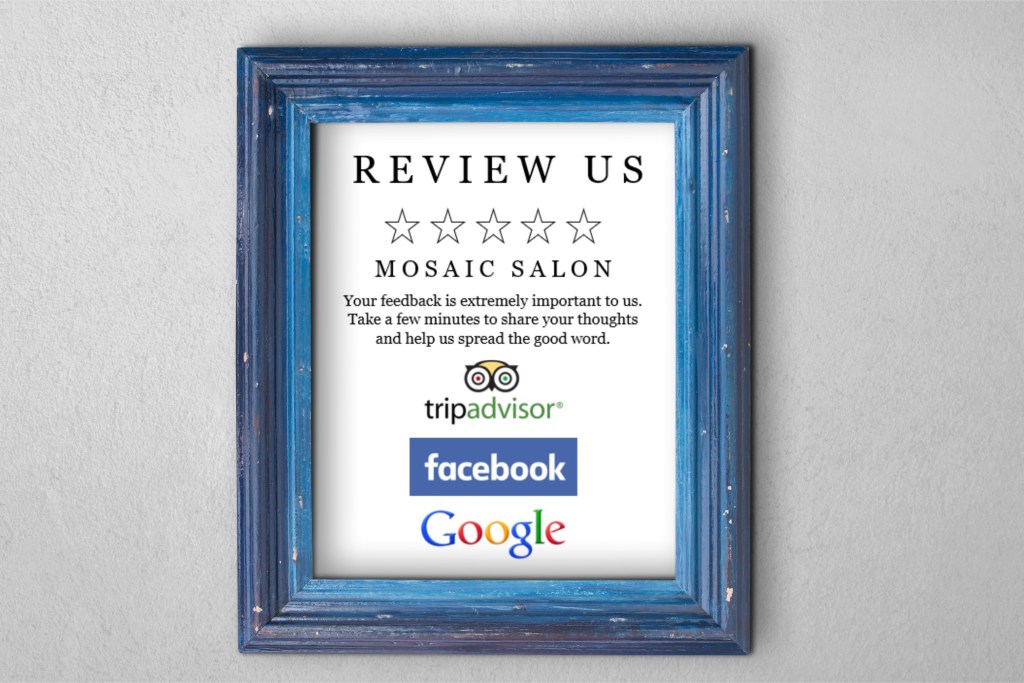
I do believe the most effective way to convince a happy customer to go the extra mile for your business is to personally take the time to ask for a review.  However, a personal request isn’t always feasible.  For those occasions, a sign placed in a prominent area (possibly next to your register) that makes the request visually can be a good idea.  I’ll show you the steps to create such sign in Microsoft Word.

1. Open Word, create a new blank document, and insert a rectangle.  (When your cursor turns into a plus sign, you’re able to draw your rectangle.) 

By default, mine was blue.  Right click on the rectangle and select More Layout Options.

Set the properties to . . .

  • Size: 10” in Height and 8” in Width
  • Text Wrapping: Behind Text
  • Position:
    • Horizontal – Absolute Position of .25” ‘to the right of’: Page
    • Vertical – Absolute Position of .5” ‘to the right of’: Page

Right click on the rectangle again and select Format Shape.  Set the Fill to No Fill, and set the Line to a Solid Line, Black Color, and .5 pt Width, choosing the Dash Type selection shown below.

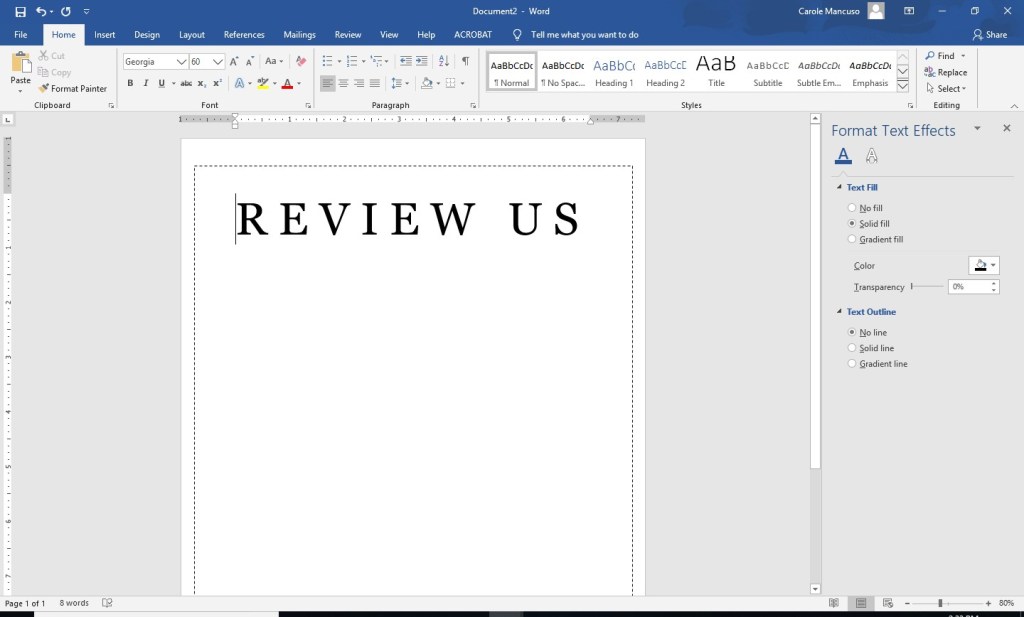
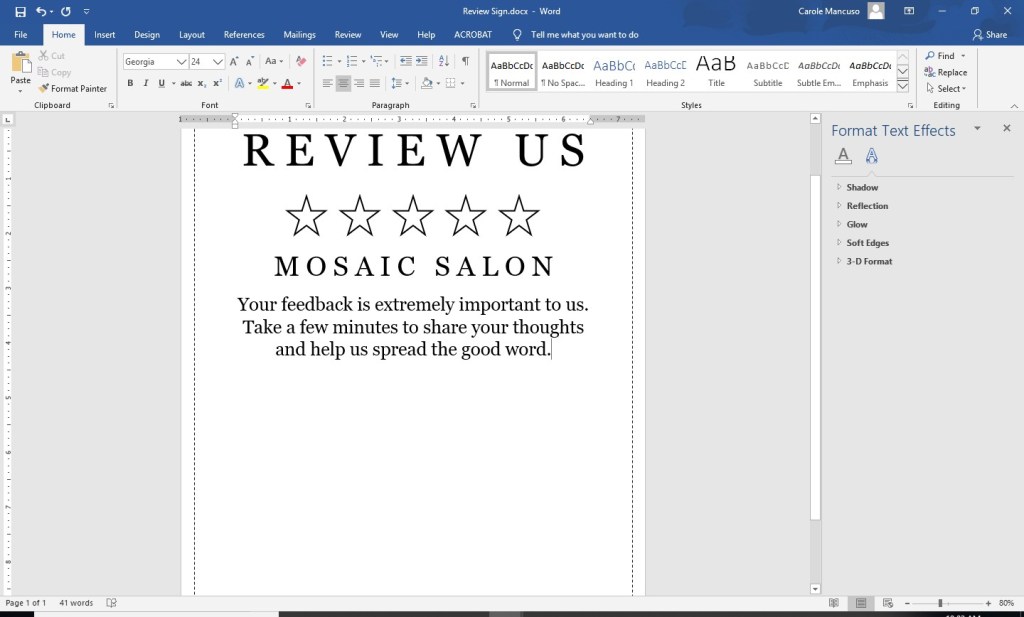
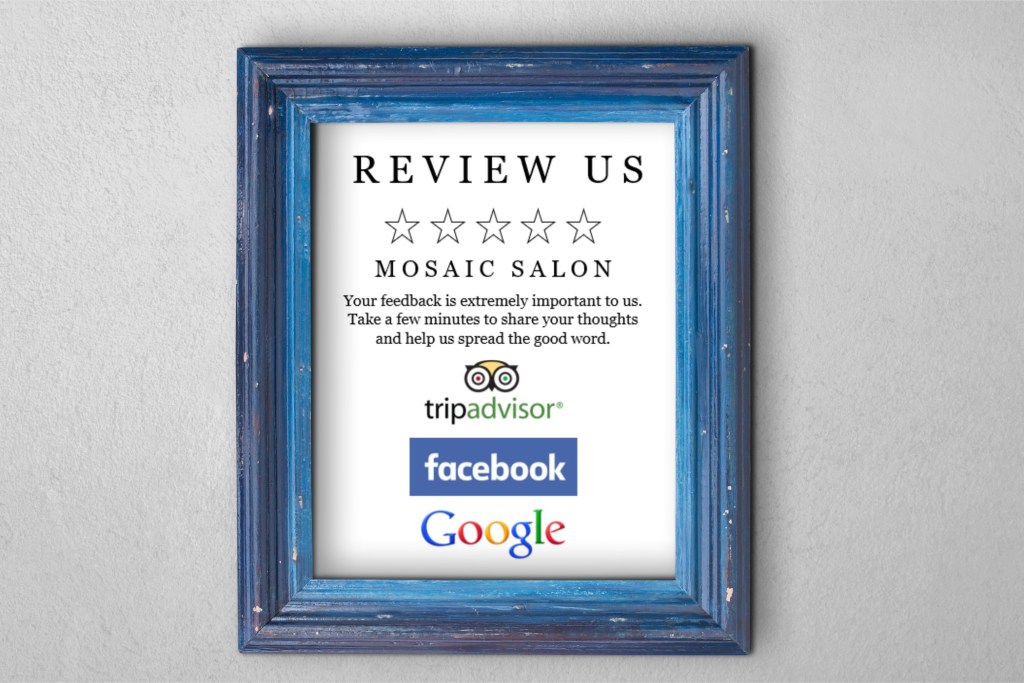
2. Click inside the rectangle and type “Review Us”.  Change the font to one that works as your heading and increase the size as needed to appropriately fill the space.  Set the Alignment to Centered.  I went with the font Georgia in all caps at size 60 and added a space between each letter.
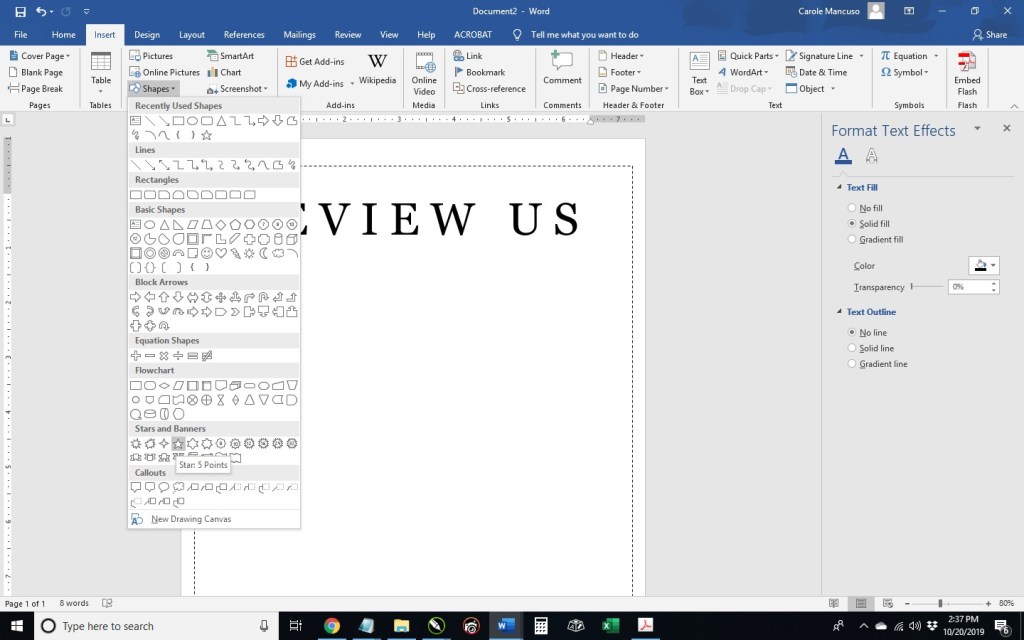
3. Press enter to advance to the next line and then insert a star. Once your cursor is a plus sign, draw the star about a half inch or so in size. 

Right click your star and select More Layout Options: within the Text Wrapping tab, select In Line With Text from the Wrapping Style section; within the Size tab, make the star .7” in Width and Height; press OK. 

Right click on the star once again and select Format Shape: set the Fill to No Fill; for the Line, select Solid Line, Black color, and 1.5 pt Width. 

Right click on the star one last time and select copy.  Add a space and paste your star.  Repeat three more times. 

4. Press enter and add your company name.  I used the same formatting as the “Review Us” heading but decreased the size to 36.

5. Press enter and include your review request.  I went with: “Your feedback is extremely important to us. Take a few minutes to share your thoughts and help us spread the good word.”  I kept the font the same and just changed the font size to 24.

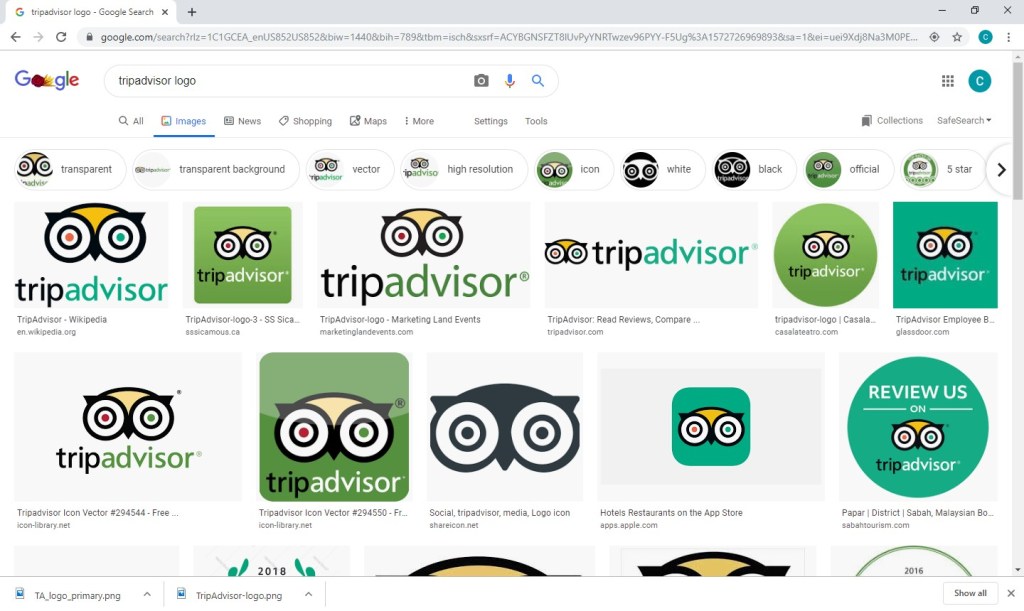
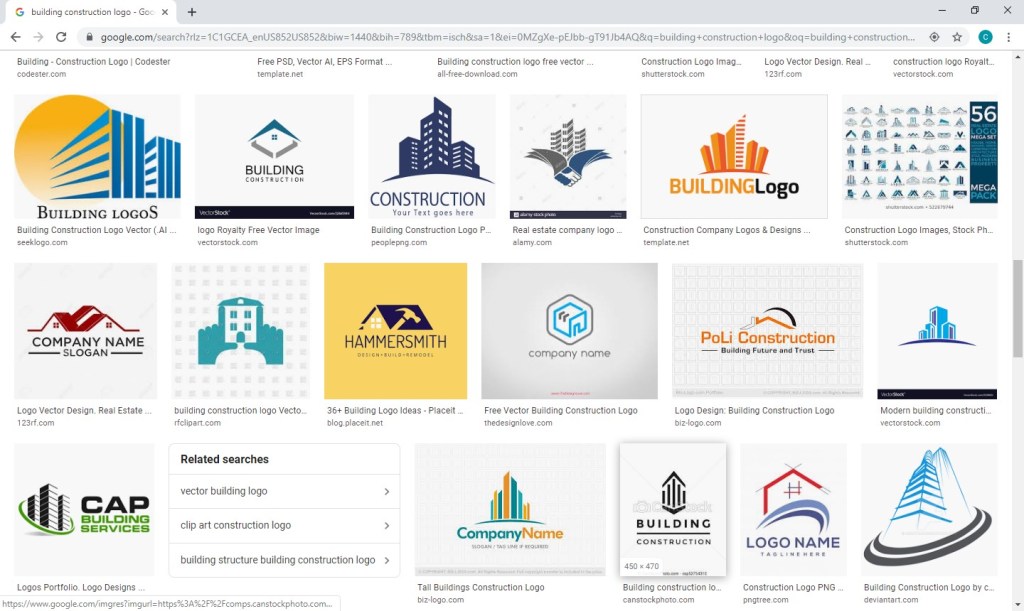
6. Next, decide which review platforms you would like to feature.  I decided to use TripAdvisor, Facebook, and Google.  Then, go to Google Images (https://www.google.com/imghp) and search for the logo of one of the companies.  I searched “tripadvisor logo”.

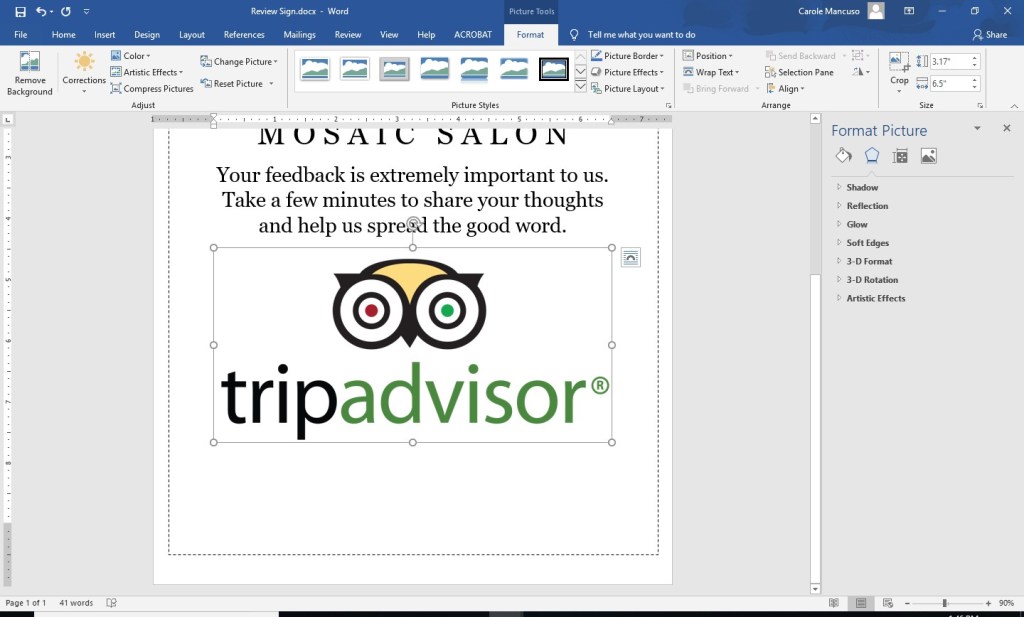
Save your selection to your desktop.  (I chose the 4th logo of the top row. )  Press enter to add a line space to your Word Document and insert the logo.

As you can see, the logo is quite big.  Since I plan to include three logos, I decreased the size a bit. 

Repeat the process for each logo you would like to include, adding a line space between each one.  If you extend onto a new page, don’t worry.

7. The last step in Word is simply a final tweaking so that everything looks nice and professional on the page.  I increased the line spacing after the company name, the paragraph, and in between the logos, and decreased the size of each of the logos.

8. Then, save, print, cut, and frame!

Happy designing! 

Shameless Plug:
While our preference is always DIY, a ready-to-customize templated version is available from my shop in case you’re extra short on time this week:  https://www.instant-invitation.com/listing/668274665/review-request-sign-template-printable

How to Create a Mission Statement (Including Definitions, Examples, and a Mission Statement Generator)

Defining the purpose of your business in one or two simple sentences can seem like a very daunting task. . . . Or perhaps the words instantly flow mellifluously from your mouth.  But probably not. 

So, where to start?  Before delving further, I’ll give you a few formal definitions of a “mission statement” so you’re somewhat certain of the purpose of this important collection of words before moving forward.

DEFINITIONS

According to . . .

“An effective mission statement must be a clear, concise declaration about your business strategy.”

“[A mission statement is] a sentence describing a company’s function, markets and competitive advantages; a short written statement of your business goals and philosophies.”

“A mission statement is used by a company to explain, in simple and concise terms, its purpose(s) for being. The statement is generally short, either a single sentence or a short paragraph. These statements serve a dual purpose by helping employees remain focused on the tasks at hand, as well as encouraging them to find innovative ways of moving toward an increasingly productive achievement of company goals.”

“[A mission statement is] a written declaration of an organization’s core purpose and focus that normally remains unchanged over time. Properly crafted mission statements (1) serve as filters to separate what is important from what is not, (2) clearly state which markets will be served and how, and (3) communicate a sense of intended direction to the entire organization.”

EXAMPLES

Want to see those conceptual definitions in action?  I reviewed a lot of mission statements (and I do mean a lot), and a collection of my favorites is compiled below. . . .  I found these companies’  statements to be relatively straightforward while being sufficiently descriptive.

“Google’s mission is to organize the world’s information and make it universally accessible and useful.”

”At eBay, our mission is to provide a global online marketplace where practically anyone can trade practically anything, enabling economic opportunity around the world.”

“To enrich people’s lives with programmes and services that inform, educate and entertain.”

 “Dedicated to being the leader in quality family programming, ABC offers opportunities extending from the expansive ABC Television Network and 10 owned television stations nationwide, to more than 60 owned radio stations and the ABC Radio Networks that serve nearly 4800 affiliated stations.”

“We strive to be the acknowledged global leader and preferred partner in helping our clients succeed in the world’s rapidly evolving financial markets.”

 “J.P. Morgan’s mission is to be the best financial services company in the world. To achieve this goal, we focus relentlessly on carrying out our business principles of aspiring to be completely client focused by building a great team from within.”

 “Walgreens mission is to be America’s most-loved pharmacy-led health, well-being and beauty retailer. Its purpose is to champion everyone’s right to be happy and healthy.”

“We will be the easiest pharmacy retailer for customers to use.”

 “Our mission is to eradicate poverty and increase social mobility through the power of partnerships. Our work provides support for the immediate needs of families and children in the community and encourages solutions that lead to the self-sufficiency and social mobility that break cycles of generational poverty.”

“Prematurity is the #1 killer of babies in the United States. We are working to change that and help more moms have full-term pregnancies and healthy babies. From polio to prematurity the March of Dimes has focused on researching the problems that threaten our children and finding ways to prevent them.”

“The mission of Make-A-Wish International is to grant the wishes of children with life-threatening medical conditions to enrich the human experience with hope, strength and joy.”

“To give customers the most compelling shopping experience possible.”

“To build a place where people can come to find and discover anything they might want to buy online.”

“Our mission is to make Target your preferred shopping destination in all channels by delivering outstanding value, continuous innovation and exceptional guest experiences by consistently fulfilling our Expect More. Pay Less. brand promise.”

“Versace will pursue its sales goals on national and international markets through the offer of fashion, luxury and high quality products at competitive conditions and in compliance with laws designed to protect competition.”

“It is our mission to provide the highest level of service in all aspects of automotive dealership operations, providing our customers with the highest quality products and services at a fair and competitive price.”

“To accelerate the advent of sustainable transport by bringing compelling mass market electric cars to market as soon as possible.”

 “To bring the best user experience to its customers through its innovative hardware, software, and services.”

“To lead in the creation, development, and manufacture of the industry’s most advanced information technologies, including computer systems, software, networking systems, storage devices, and microelectronics.”

“Dole Food Company, Inc. is committed to supplying the consumer and our customers with the finest, high-quality products and to leading the industry in nutrition research and education. Dole supports these goals with a corporate philosophy of adhering to the highest ethical conduct in all its business dealings, treatment of its employees, and social and environmental policies.”

“To create and promote great-tasting, healthy, organic beverages.”

“To inspire and nurture the human spirit – one person, one cup and one neighborhood at a time.”

“We believe in Bringing People Together. With Wine. We believe that life’s more fun when we’re together. That’s why our mission is to introduce new friends to wines that are fun, flavorful, and approachable.”

“We are all stewards of football.  We unite people and inspire communities in the joy of the game by delivering the world’s most exciting sports and entertainment experience.”

“By showcasing golf’s greatest players, we engage, inspire and positively impact our fans, partners and communities worldwide.”

“We take pride in making the best Mexican style fast food, providing fast, friendly, & accurate service. We are the employer of choice offering team members’ opportunities for growth, advancement, & rewarding careers in a fun, safe working environment. We are accountable for profitability in everything we do, providing our shareholders with value growth.”

“To offer reasonably priced quality food, served quickly, in attractive, clean surroundings.”

“To be our customers’ favorite place and way to eat and drink.”

ANATOMY OF A MISSION STATEMENT

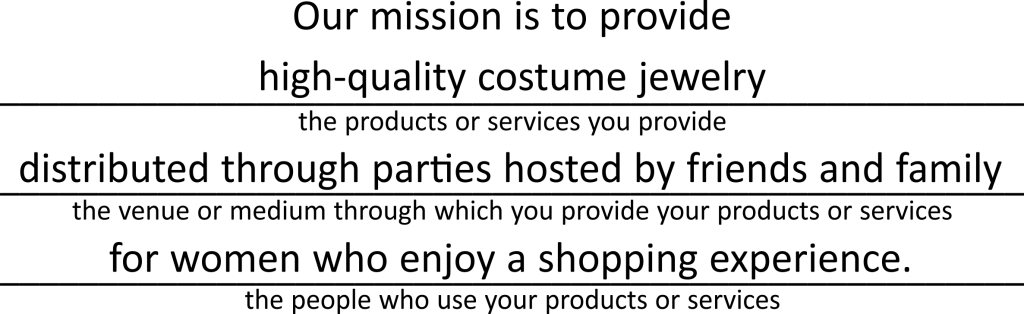
As you may have noticed, most mission statements are comprised of the same basic components.  I’ll use our Mission Statement for Brand Building for Small Business as an example:

While I have the different parts listed numerically for clarity, the order isn’t important.  As you’ve seen throughout the dozens of examples, these components can look very different from one company to the next.  All that matters is that you’ve clearly and fully communicated the purpose of your company.

MISSION STATEMENT GENERATOR

So, now it’s your turn.  Are you ready?  Try creating a mission statement for your business based on the structure below.

Need one more example?  For good measure . . .

ALL DONE?

If you’ve gone through the exercise of filling in the blanks and feel like you have a good mission statement in hand, you may be wondering, is that it?  Am I done?  That answer really depends on you and your business.  For very small operations, the owner may be the only one involved in the process.  If that’s the case, we recommend that you at least have a few people review your mission statement – ask for feedback on content, flow, grammar, etc. 

In larger companies, the process can become extremely complicated.  First, a decision has to be made about who should have input into the process.  Then, consensus on the content must be achieved among those parties.  Very often, special seminars or retreats will be employed to brainstorm the matter.  In the case of the mission statement of our former employer, the process was done about two decades ago, and the entire management team met at an off-premises site to craft the message.  Discussions were held and multiple flip charts filled with notes that got compressed down to about 50 words. (While some minor adaptations have been implemented over time, the message has remained largely intact.)

A Quick Cautionary Note:  Mission Statement vs Vision Statement

These two different kinds of statements are sometimes confused.  In the words of one authoritative source (i.e., ClearVoice):
“The vision statement focuses on tomorrow and what the organization wants to become. The mission statement focuses on today and what the organization does. While companies commonly use mission and vision statements interchangeably, it’s important to have both.”

Stay tuned for an article on Vision Statements.

GOING FORWARD

Keep your mission statement at the forefront of your operations.  That way, if you find yourself veering away from your original intentions, your mission statement will either reign you in or remind you that a re-draft is in order because your business’s revised course is welcome and deliberate.

NEXT STEP

Use your company name, logo, target audience, and mission statement as a basis for creating your business’s style guide, which will help you formalize your brand and be consistent going forward. Read the last story in our “The Beginning” series: The Role of a Brand Style Guide.

Where to Begin?

“Cha Ching,” my phone sang.

Was that what I thought it was . . . my first sale?!?  I vividly remember the thrill and excitement I felt that evening.  I basked in hugs from my husband and kids, texted my close friends and family, and uncorked the champagne (well, sparkling Moscato actually; it was only a $12 sale after all). 

Fast forward one year ahead when the profit from my sales was about half my full-time income, and I was equally thrilled and excited at the idea of quitting my day job to pursue my business full time.  I couldn’t wait to be able to choose the way I dedicated my work hours, to have creative freedom, to balance my work schedule with my home life however I saw fit, to be directly responsible for my earnings . . . my list could go on and on.  The entrepreneurial allure was holy grail level for me.

Once I gave my three weeks’ notice (which my former boss and now blog partner masterfully managed to extend into three months’ notice), I was officially on cloud nine.     

Fast forward once again to my first day “unemployed” and me staring at my computer screen.  I had so many new designs I was looking forward to creating and so many ideas for new products.  My mouse and my keyboard and I forged ahead at full speed.

* * *

Up until that point, I had spent the entirety of my career in marketing communications.  I studied organizational communications and marketing for my undergrad and graduate degrees, I taught college public relations courses, and I worked for almost 15 years in the corporate world as an important contributor of a national, billion-dollar brand. 

The first item on my new business to-do list – in bold print – should have been to create a marketing plan. 

In reality, that’s not even close to what happened.  Why?  In writing this all down, I actually needed a couple minutes to decide exactly why, and I think it’s the more immediate sense of urgency you get when your business is responsible for your livelihood.  You want to focus on the areas of your company that are as tangible as your mortgage payments . . . and groceries . . . and kids’ back-to-school clothes.  I effectually went into survival mode.  Efforts producing and sustaining immediate profits were crucial while time for endeavors reaping long-term dividends felt like a luxury.

Don’t get me wrong. I had put in place certain basic brand fundamentals from the beginning.  Long before my first sale, I had decided on a name and colors, secured a web site address, and created a logo.  I even had a pretty clear sense of the qualities that would differentiate my company from others.  However, the idea of taking my brand basics and then creating and executing a blueprint for building a strong and successful brand WHILE running my business was completely and utterly overwhelming to me.

* * *

Well, as they say, the journey of a thousand miles begins with a single step.  Once my survival instinct numbed a bit, I decided to take one single step.  I addressed one new activity per week.  Since I still had very little “free time” in my business AND had no real marketing plan, I didn’t give myself any constraints on the duration or direction of my efforts; just the quantity – I just needed to do one brand building task per week. 

So one week, I created an Instagram account for my business; another, I researched local venues to get my brand name out in my community; still another, I researched blogs that I could partner with to promote my brand, etc., etc., etc.  In essence, I did what I could/when I could, knowing that as long as these activities reflected my brand basics, my business would reap long-term benefits.

Over time, I mastered my one-a-week goal, and I built on that momentum – once a week, I now had to do one maintenance branding task (writing a blog posting, attending a local “expo/show,” posting content on my social media platforms, etc.) in addition to my one brand building task (researching, expanding into new venues/platforms, etc.). 

If this is starting to sound like a lot, take a breath.  There’s no need to get bogged down with specifics at this point.  We’ll cover them all as we go, and we’ll help you get your system into place.  We’ll focus on the areas we think are most beneficial to start with first, and we’ll teach you how to execute those initial steps; then, we’ll focus on building that brand – one task at a time.  Soon, you’ll find that your successes will justify the time you invest, making the process much easier.

* * *

Next up – What’s in a Name? . . . The first in a series focusing on the initial steps in building your brand.