A Blog for Entrepreneurs Looking to Create and Develop their Corporate Identity
Author: Carole Mancuso
Carole is a lead content developer for Brand Building for Small Business, a new venture, though she has been performing the art of brand building in some form since 2001.
She owns and runs Instant Invitation, which also operates as Inked Invitation through Zazzle. She designs graphics, develops personal and small business templates, and works to steadily build the company’s brand. Instant Invitation was established in 2014 and currently produces six-figure annual earnings with consistent year-over-year growth.
Carole spent 15 years in the corporate sector in the Communications department of now Berkshire Hathaway GUARD Insurance Companies (a national billion-dollar company). As Communications Manager, she was responsible for the company’s web site, online advertising, social media, and promotional email. When the desire to be close to family and closer to the sun brought her to Arizona (across the country from the company’s corporate operations), she began pursuing her own business.
She taught Public Relations and Organizational Communications courses at Wilkes University and Introductory Communications at Northampton Community College.
She is happiest while spending time with her husband and two children as well as their extended family and close friends. She loves the beach and all things wine.
SEO or Search Engine Optimization, in a nutshell, helps your web site be found online. The quantity and quality of your web content greatly affects your success. Unfortunately, the formula isn’t that easy (quantity + quality = top search ranking). Many behind-the-scenes factors are involved, including page load time, meta data, backlinks, etc.
I found a wonderful cheat sheet – well, more like a cheat guide – that breaks down the most important on-page SEO elements and gives in-depth information on improving each.
According to NP Digital Co-Founder Neil Patel, the most essential in-page areas to pay attention to are:
1. Site Speed;
2. Meta Tags;
3. Content That Drives Search Traffic;
4. Crawlability; and
5. Mobile-Friendliness (or Responsiveness).
If you think your web site may benefit from some tweaks or even a complete overhaul in any of these areas, check out the On-Page SEO Cheat Sheet.
Previously, good reviews might help a potential customer decide whether to purchase your product or service . . . once you’ve already done the hard work of getting that individual in the door (real or virtual). Now with web sites and apps dedicated to company reviews, they can actually be a form publicity . . . serving as the driver that leads the potential customer to your doorstep. So . . . how do you get reviews? If you already have an established business and customer base, sure, reviews will just happen. And they will help you get more customers, which will land you more reviews, and so on. However, if you’re at the beginning stage of your journey, getting a large number of good reviews may be a little more challenging. In that case, you can take a few steps to help speed the process along. . . .
1. Get your company listed on review web sites.
If your company isn’t already listed on Yelp (or whatever the review site is for your industry), your happy customer probably isn’t going to go to the trouble to add you . . . so lay the appropriate groundwork in advance. Make sure you know which review web sites your customers go to and add your company along with as much additional information as you can (pictures, address, phone number, etc.).
2. Ask your customers for a review.
I believe the most effective way to convince a happy customer to go the extra mile for your business is to personally take the time to ask for a review. If asking in person isn’t possible and you have other contact information, send an e-mail or a text. Be sincere and straightforward.
3. Ask again.
You don’t want to make yourself a bother, but one follow-up is completely appropriate. Your happy customer could have had every intention of posting a review for you and simply forgot; a simple follow-up could make all the difference. If, on the other hand, your customer never intended to write a review, ignoring two of your attempts probably won’t be too traumatic for them.
4. Display a sign.
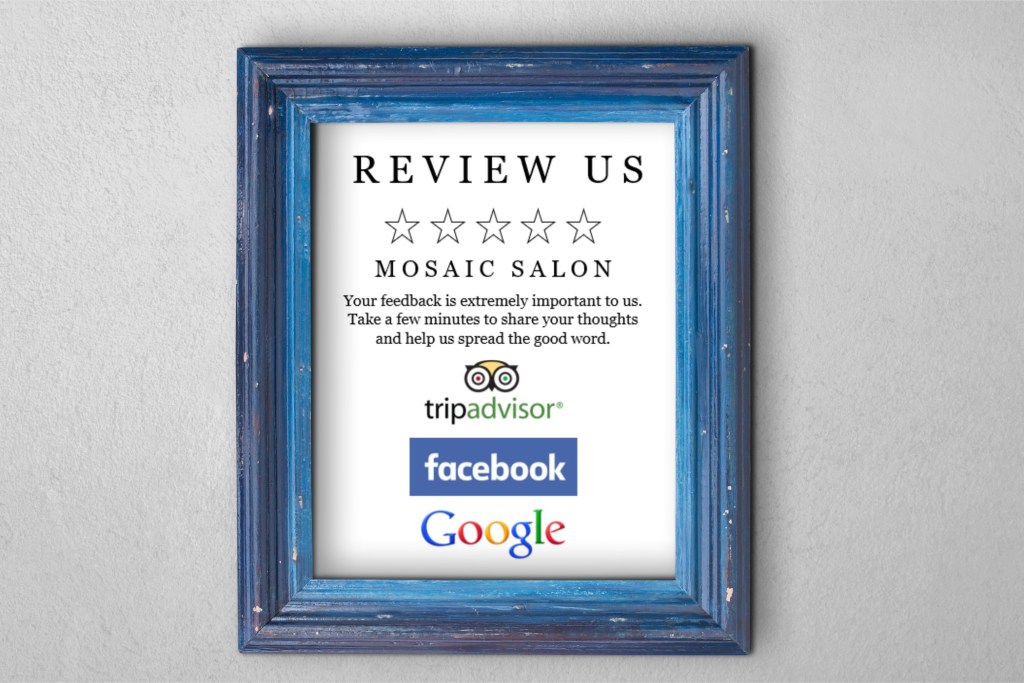
A personal request isn’t always feasible. For those occasions, a sign placed in a prominent area (possibly next to your register) that makes the request visually can be a good idea. (See: Creating a Review Request Sign in Microsoft Word)
5. Include a request with your product.
Another option for a less personal request is a physical note included with your product – the more you can make the request stand out, the better your chances of getting your customers’ attention. (See: Clever Customer Service)
6. Reply to existing reviews.
Some review venues enable you, as the owner, to respond to reviews. You can thank the customer for their kind words or you can try to explain or apologize for less-than-stellar feedback. Sometimes, your visible presence will encourage other customers to share their thoughts.
7. Offer an incentive.
You can always sweeten the pot a little by offering a dollar amount or percentage off on a future purchase as a thank you for a review, which could help with repeat sales as well.
8. Offer a product sampling.
If all else fails, you may need to be willing to give away your product or service for free in order to get your initial reviews. You can either utilize a company to supervise the process, you can informally reach out to people you know, or you can post the offer on social media.
9. Be review worthy.
This one is entirely open to interpretation and can be tailored to represent your unique brand . . . whether you ship your product with a free bonus item, offer an appealing gift wrapping for free, or send a thoughtful thank you note after a purchase, try to do something that makes your company and product stand out from the crowd a bit and inspires customers to rave about their experience.
You’ve designed the perfect flyer (or letterhead or business card, etc.) and now just need to get your design from program to paper. Which do you choose? A lot of different types exist and knowing the right choice can be a little overwhelming. Here’s a quick and easy guide for you. . . .
Weight/Type of Paper:
Business Cards: 80-100 lb cardstock
Letterhead, Newsletters: 24 lb paper
Presentations, Flyers, Brochures: 28-32 lb paper
Postcards: 75-100 lb cardstock (post office requires a minimum of 75 lb)
Trifold Mailer: 40 lb (post office requirement)
Event Invitations: 80-100 lb cardstock
A few other considerations . . .
Finish: The most common finishes are matte, gloss, and silk, and the choice is mostly a matter of taste. You won’t have glare or fingerprints with matte paper, but the colors won’t appear as rich or vibrant as on gloss. Silk is a middle ground between the two.
Brightness: Brighter paper creates more contrast. Standard brightness is 92; if you’re using a lot of full-color images, a minimum of 96 is preferable.
Whiteness: Balanced white, warm white, and blue white are the most common types of paper whiteness. You can use balanced white for the vast majority of your projects. Warm white can enhance the look of photography while blue white can enrich product images and black and white pictures.
Hope that helps! Let us know of any questions or comments in the “Leave a Reply” section below.
Disclaimer: While we only recommend products we know and love, we want to note we use affiliate links and may earn a commission for purchases made through those links.
Ok, I should preface this announcement. CorelDraw being available as a standalone product is a relatively new development as they issued a press release to that effect in 2020. But hey, 2020 was a big year. A lot of other things were on our minds . . . so I figured you may have missed the news as well.
As we’ve said in a number of our articles: if you’re a graphic designer by trade, CorelDraw is probably not your graphics editor of choice. If you’re a small business owner without a lot of graphic design experience who is choosing to do branding in-house, CorelDraw is a great choice. You can address all your web and print graphics needs and produce sophisticated, high-end products . . . for a fraction of the price of the typical designer preference, Adobe. (These days, most Adobe products are only available via subscription, and their current price for their annual subscription paid monthly is $52.99 – $635.88 for the year . . . to be paid year after year for as long as you would like access to their products. Photoshop as a standalone is $20.99 per month; totaling $251.88 per year. For some people, paying that amount for Adobe products is an ongoing invaluable investment. For others – like us, it’s like buying a Ferrari to take your kids back and forth to school.)




 Brand Building for Small Business